Episode #293
Introduction
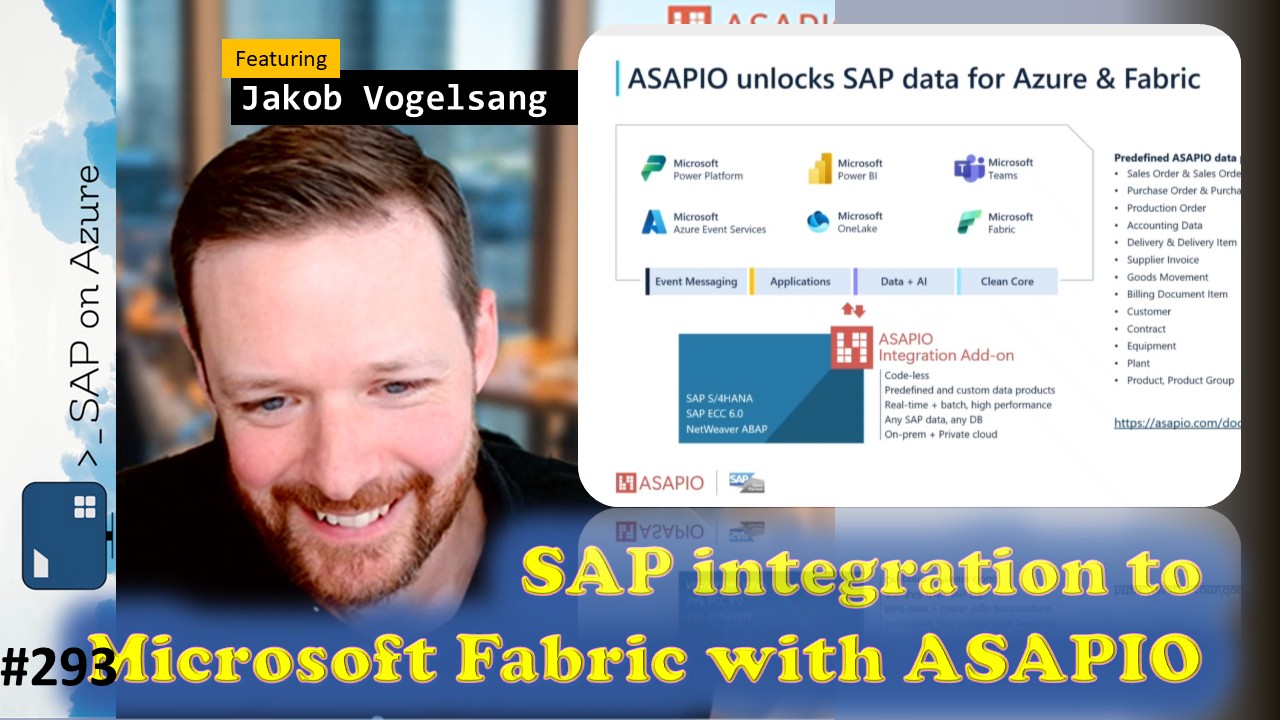
In episode 293 of our SAP on Azure video podcast we talk about data integration with our partner ASAPIO.
As we had discussed in the past, connecting Fabric with SAP data is something that is used by lots of our joint customers. We have talked about the different options from SAP, from Microsoft and also from partners. Today we do another deep dive with our partner ASAPIO. Last year we had them already on our show and a lot of things have changed since then. Asapio was very busiy and they have been doing several integration projects with customers and today Jakob Vogelsang is here with us to share more.
Find all the links mentioned here: https://www.saponazurepodcast.de/episode293
Reach out to us for any feedback / questions:
- Goran Condric: https://www.linkedin.com/in/gorancondric/
- Holger Bruchelt: https://www.linkedin.com/in/holger-bruchelt/
#Microsoft #SAP #Azure #SAPonAzure #Data #MSFabric #asapio #SAPBDC
Summary created by AI
- SAP Data Integration with Microsoft Fabric:
- Ulrich, Holger, and Jakob discussed the three main pillars of SAP data integration with Microsoft Fabric, including built-in connectors, collaboration with SAP, and partner solutions, highlighting recent advancements and ongoing projects.
- Built-In Connector Capabilities: Ulrich explained that Microsoft provides comprehensive out-of-the-box connectors for both citizen and professional data integration use cases, supporting large data volumes and recently introducing a public preview based on their own ABAP add-on, which allows custom APIs and logic on the SAP side.
- Collaboration with SAP: Ulrich described the integration with SAP Data Sphere, noting its general availability and widespread customer adoption, especially for large-scale data replication, and mentioned upcoming features like Business Data Cloud Connect for zero-copy sharing.
- Partner Solutions and Asapio Integration: Ulrich emphasized the value of partner solutions, such as Asapio, for customers with established tools, and introduced the session’s focus on Asapio’s integration capabilities, which benefit both Microsoft and partners by extending business and onboarding customers.
- Asapio Integration Add-On Overview and Enhancements:
- Jakob provided an overview of the Asapio Integration add-on, detailing its direct SAP backend installation, codeless configuration, predefined content, and recent improvements in usability and performance, with Holger and Ulrich contributing questions and comments.
- Direct Connection and Supported Services: Jakob explained that the add-on establishes a direct connection from SAP backend systems to Azure services such as OneLake, Fabric, Azure Event Services, Databricks, and Blob Storage, supporting open mirroring and Parquet encoding for performance.
- Codeless Configuration and Data Modeling: Jakob highlighted the add-on’s focus on codeless configuration, enabling customers to model usable data products at the source, simplifying SAP’s complex data models, and providing templates for common business objects like sales orders and purchase orders.
- Predefined Content and Catalog: Jakob introduced the Asapio catalog, which offers over 70 predefined payloads/interfaces for typical SAP integration requirements, usable out-of-the-box or as templates for customization, supporting both ECC and S/4HANA systems.
- Replication Frequency and System Independence: Jakob described the flexible replication options, from real-time to batch and daily loads, and noted that the add-on operates independently of the SAP database or hosting environment, supporting ECC, S/4HANA, private cloud, Azure, and on-premises deployments.
- Event Studio Centralized Data Product Governance:
- Jakob demonstrated the new Event Studio user interface, which enables centralized modeling, operation, and governance of data products across multiple SAP systems, with Goran and Holger asking about connection methods and usability.
- Centralized Modeling and Operation: Jakob explained that Event Studio allows customers to centrally model and govern data products, harmonizing data across business divisions and countries, and distributing unified data products throughout the SAP landscape.
- Connection Mechanisms: In response to Goran’s question, Jakob clarified that Event Studio uses native BTP mechanisms, such as cloud connector and destination service, to connect to backend systems, and can also be deployed locally on NetWeaver if BTP is unavailable.
- Browser-Based Usability: Jakob demonstrated that Event Studio provides a browser-based environment for modeling and monitoring, eliminating the need for SAP GUI and enabling users to create, modify, and monitor interfaces and payloads directly in the browser.
- Live Demonstration of Data Replication: Jakob showed a live demo where a sales order change in SAP was replicated in real time to Fabric, monitored via Event Studio, and confirmed in the Fabric environment, illustrating the end-to-end integration and monitoring capabilities.
- Business Process Solutions Integration and Marketplace Availability:
- Jakob described Asapio’s integration with Microsoft’s Business Process Solutions (BPS) analytics framework and announced the add-on’s availability in the Microsoft Azure Marketplace, making procurement and deployment easier for customers.
- BPS Analytics Framework Integration: Jakob explained that Asapio’s content can be directly used in Microsoft’s open-sourced BPS analytics framework, allowing customers to build reports on Fabric using both custom and predefined data products, with seamless replication and table integration.
- Marketplace Procurement: Jakob announced that Asapio is now available in the Microsoft Azure Marketplace, enabling customers to obtain the solution and manage contracts and commercial agreements directly through the marketplace, streamlining the onboarding process.
- Customer Success Story: KWS Real-Time Data Replication:
- Jakob shared a public customer reference from KWS, a large seed company, illustrating typical use cases for real-time SAP data replication to Fabric and Azure Data Lake, with custom payloads and cost-efficient modeling.
- KWS Use Case: Jakob described how KWS uses Asapio to replicate sales orders, shipments, and invoices in real time to Fabric and ADLS Gen2, leveraging custom payloads and enhanced modeling for reporting and planning, with support from Asapio.
- AI-Assisted Integration and Future Directions:
- Jakob discussed ongoing and future developments in AI-assisted SAP integration, including natural language interface configuration and AI-powered monitoring, with Holger and Ulrich expressing interest in potential migration and analytics use cases.
- AI-Assisted Configuration: Jakob outlined plans to enable natural language prompts for configuring SAP interfaces, making integration even more accessible and seamless for users.
- AI-Powered Monitoring: Jakob mentioned that some customers are already using AI agents for monitoring SAP integration, automatically detecting and resolving exceptions in real time.
- Real-Time Event-Enabled Integration: Jakob emphasized that Asapio’s real-time event capture is well-suited for triggering AI agents to react to SAP system changes, supporting new use cases in automation and analytics.
- Migration and Consolidation Across ECC and S/4HANA:
- Holger and Jakob discussed the benefits of Asapio’s governance model for customers migrating from ECC to S/4HANA, enabling consolidated data views in Fabric and seamless transport of interfaces, with Ulrich suggesting future success stories.
- Consolidated Data View: Holger noted that customers can start integrating ECC and S/4HANA data into Fabric today, using Asapio’s governance model to connect multiple systems and maintain analytics continuity during migration.
- Interface Transport and Reusability: Jakob explained that interfaces modeled on ECC can be reused on S/4HANA, except for finance tables, ensuring investments in integration are preserved during system transitions.
- 0:00 Intro
- 1:15 Introducing Jakob Vogelsang
- 2:25 Data Factory in Microsoft Fabric
- 5:20 SAP integration to Microsoft Fabric
- 6:40 ASAPIO unlocks SAP data for Azure & Fabric
- 12:55 Integration Catalog
- 14:40 Governance and Re-Use of (Predefined) Data Products
- 16:40 Demo - Starting with Event Studio
- 20:00 Demo - Change a Sales Order
- 27:50 SAP Integration to Fabric + Business Process Solutions
- 29:10 Demo - BPS with ASAPIO
- 31:20 Open Mirroring Partner Ecosystem
- 32:40 KWS SAAT - Azure Blob Storage Integration
- 35:00 Product Strategy + Outlook